


AiCR समाधान

कस्टम स्टैकिंग ऑर्डर

One loan file. Different delivery requirements. Build the package each recipient needs.

Create reusable stacking orders, use your own document terminology, and control how mortgage loan files are organized and exported for delivery.
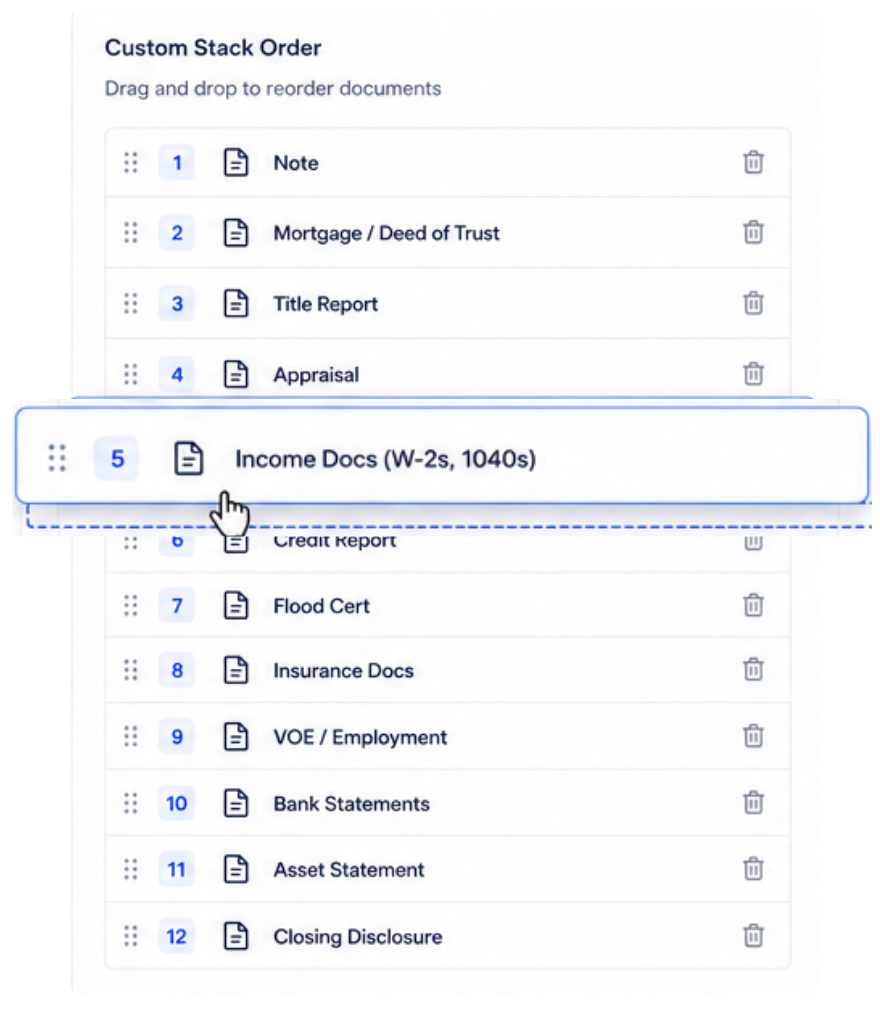
See Custom Stacking in Action

Why Custom Stacking

The Loan Is the Same. The Delivery Requirements Aren’t.

One investor may require one document order while another requires something completely different. Internal document names may not match standard file types. Some recipients may need the complete package while others only need specific documents.

Without Custom Stacking

Rebuild the Package

Different delivery requirements can mean reorganizing and repackaging the same loan file again.

01 Reopen the loan file

02 Reorganize documents

03 Rebuild the delivery package

04 Repeat for the next requirement

With Custom Stacking Order

Build the Package You Need

Use predefined stacking orders and flexible export options to prepare the same loan for different delivery requirements.

01 Select the required order

02 Apply it to the loan file

03 Choose how to package the documents

04 Export for delivery

Build the Template

Define the Required Stacking Order

Create and save predefined document orders for different delivery requirements.

One Loan. Multiple Requirements.

Prepare the Same Loan for Different Recipients.

Select the predefined stacking order needed for each delivery without rebuilding the underlying loan file.

INVESTOR A

Select Order A

Prepare the loan using the first recipient’s required stacking order.

INVESTOR B

Select Order B

Use a different predefined order for another recipient.

INVESTOR C

Select Order C

Prepare another delivery without changing the underlying loan setup.

Your Terminology

Use the Document Names Your Team Already Knows

Create aliases for AiCR file types so your organization’s terminology appears throughout the stacking workflow and exports.

Define the Alias

Use your preferred name for the file type.

Use It Across Workspaces

Client-level aliases apply across the tenant’s workspaces.

Carry It Through

Aliases appear in the interface, stacking order and exports.

Flexible Export

Choose How the Loan File Is Packaged.

Export the complete package or break the file down based on what the recipient needs.

Complete Package

Export the organized loan file as a complete package.

फ़ाइल प्रकार के अनुसार

Split the package into separate file-type groups.

Individual Documents

Separate individual documents within a file type.

Selected Documents

Choose specific document types and export only what is needed.

Selected Stacking Order

Export the package or data according to the required predefined order.

The Result

From Reviewed Loan to Delivery-Ready Package

Custom Stacking Order gives teams more control over how mortgage loan files are organized, named and packaged for different delivery requirements.

Reusable Orders

Save predefined stacking requirements and use them again.

Flexible Delivery

Prepare the same reviewed loan for different recipient requirements.

Client Terminology

Use aliases that reflect how your organization identifies its documents.

Export Control

Choose the structure and documents needed for each delivery.

Built for the Way Loans Move

One Reviewed Loan. Whatever the Delivery Requires.

Different investors, different document orders, different terminology, different package requirements. Custom Stacking Order gives your team one place to prepare the loan for each delivery without rebuilding the file from scratch.

See Custom Stacking in Action